School management software demo
A Month in a 900-Student School, on Karobar
Follow our demo school through one month — fees, the daily register, the timetable, monthly tests, parents on their phones and the owner's view — then open the same school and try it yourself.
Live demo · no sign-up · resets every night
This is our demo school, filled with sample data so you can see the software working. It is not a customer, and nothing on this page is a customer's result.
1st of the month
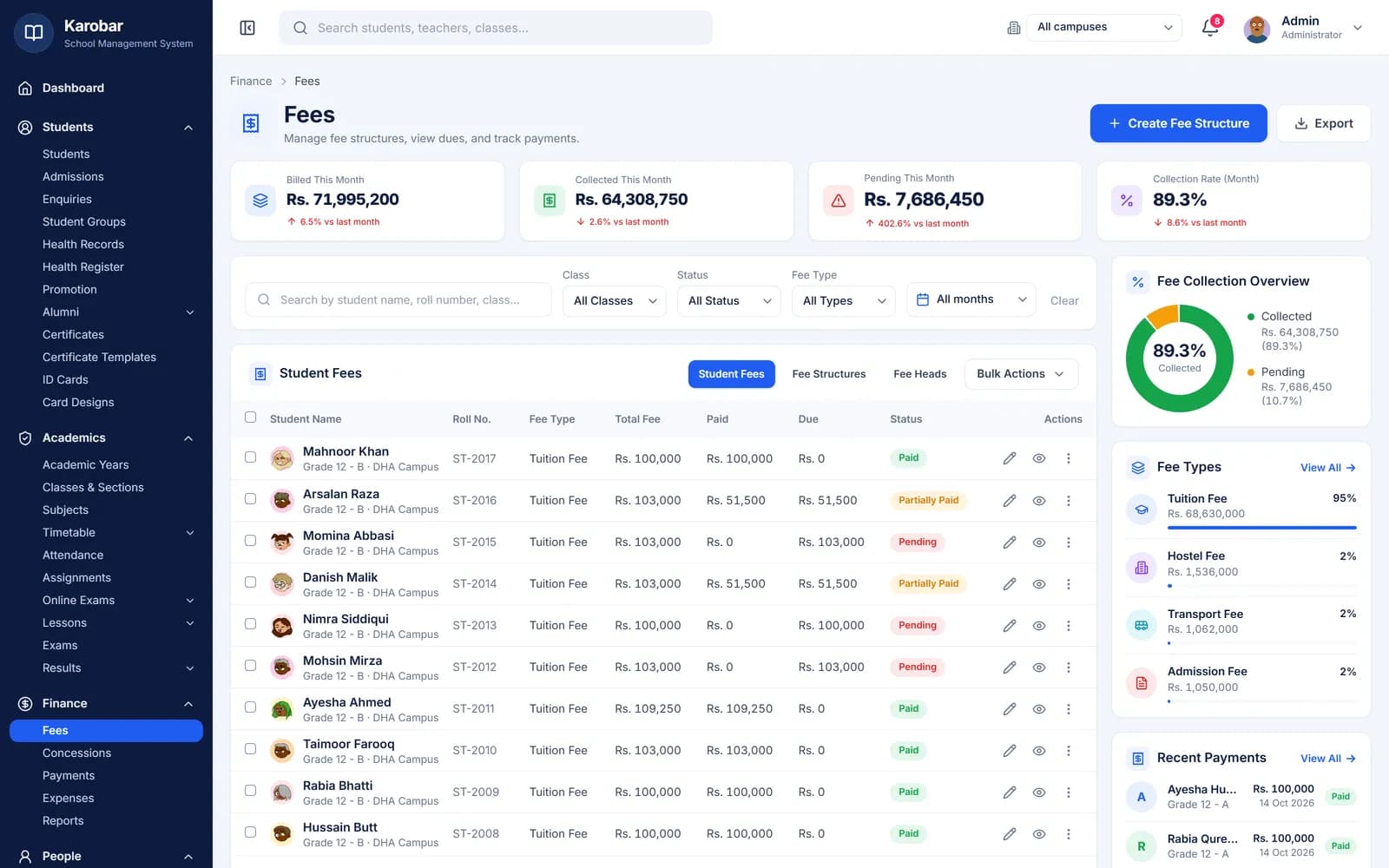
The month's fees are already worked out
Each class's fee structure was set once, so the month's invoices follow it — tuition, transport, concessions and late fines included. When a parent pays at the office, the accountant records it and prints the raseed.
Try it: open Fees in the school admin, collect a fee and print the raseed.
- Billed, collected and pending for the month
- Each student's fee with paid and due amounts
- A raseed for every payment
Every morning
The register, taken on the teacher's phone
Class teachers mark present, absent, late or leave from the teacher portal. The office sees the whole school's day — who is absent and which sections haven't been marked — and parents see each day's mark in their portal.
Try it: sign in to the portal as a teacher and mark today's attendance.
- Daily or period-wise registers
- The day's attendance overview for the office
- Each day's mark in the parent portal

All week
Every class knows its periods
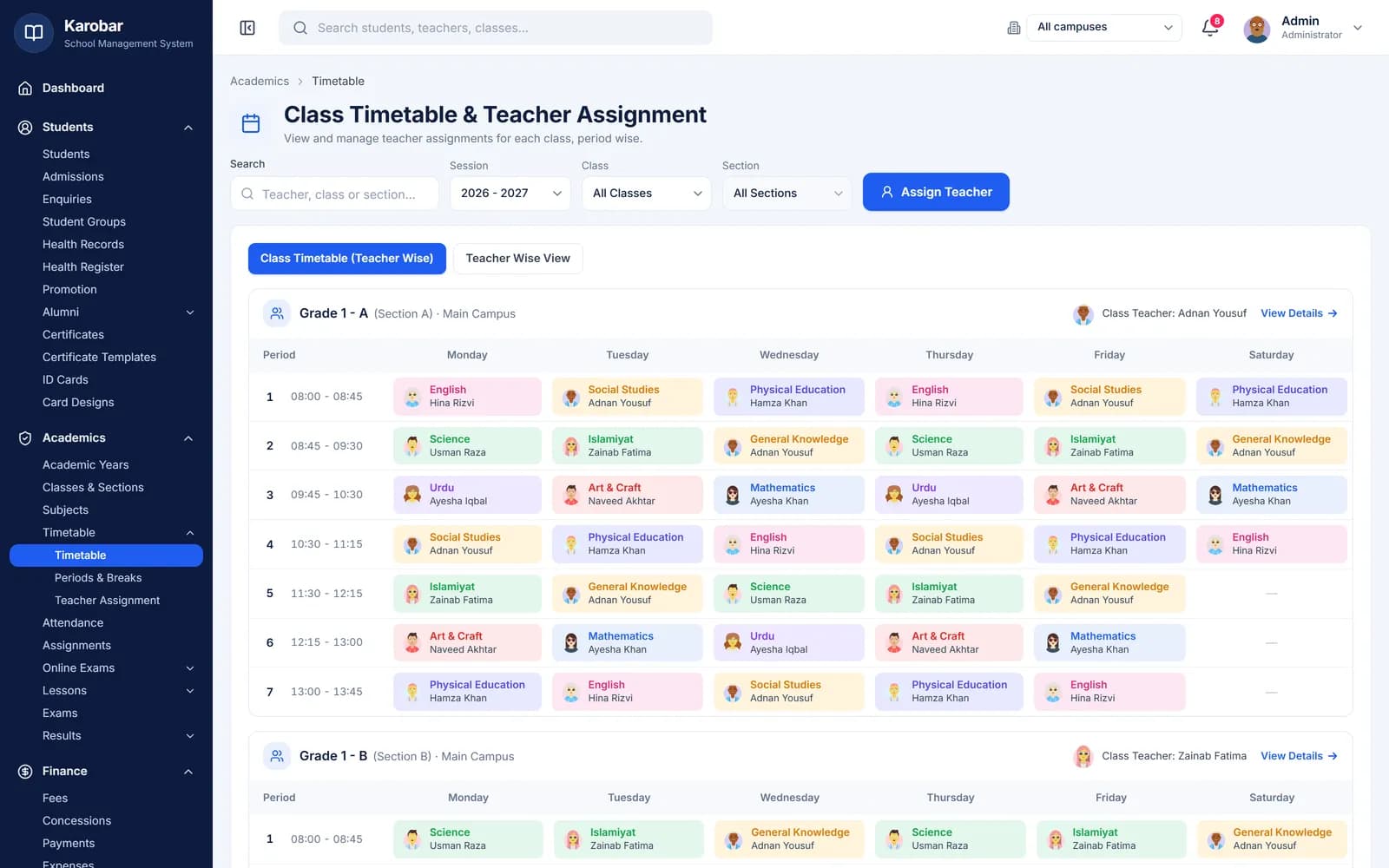
The timetable gives each class its periods for the week, each with its subject and teacher, so the school day runs without a printed chart on every wall.
- Periods by day for every class
- A subject and a teacher in every period
Mid-month
Monthly tests, marks and result cards
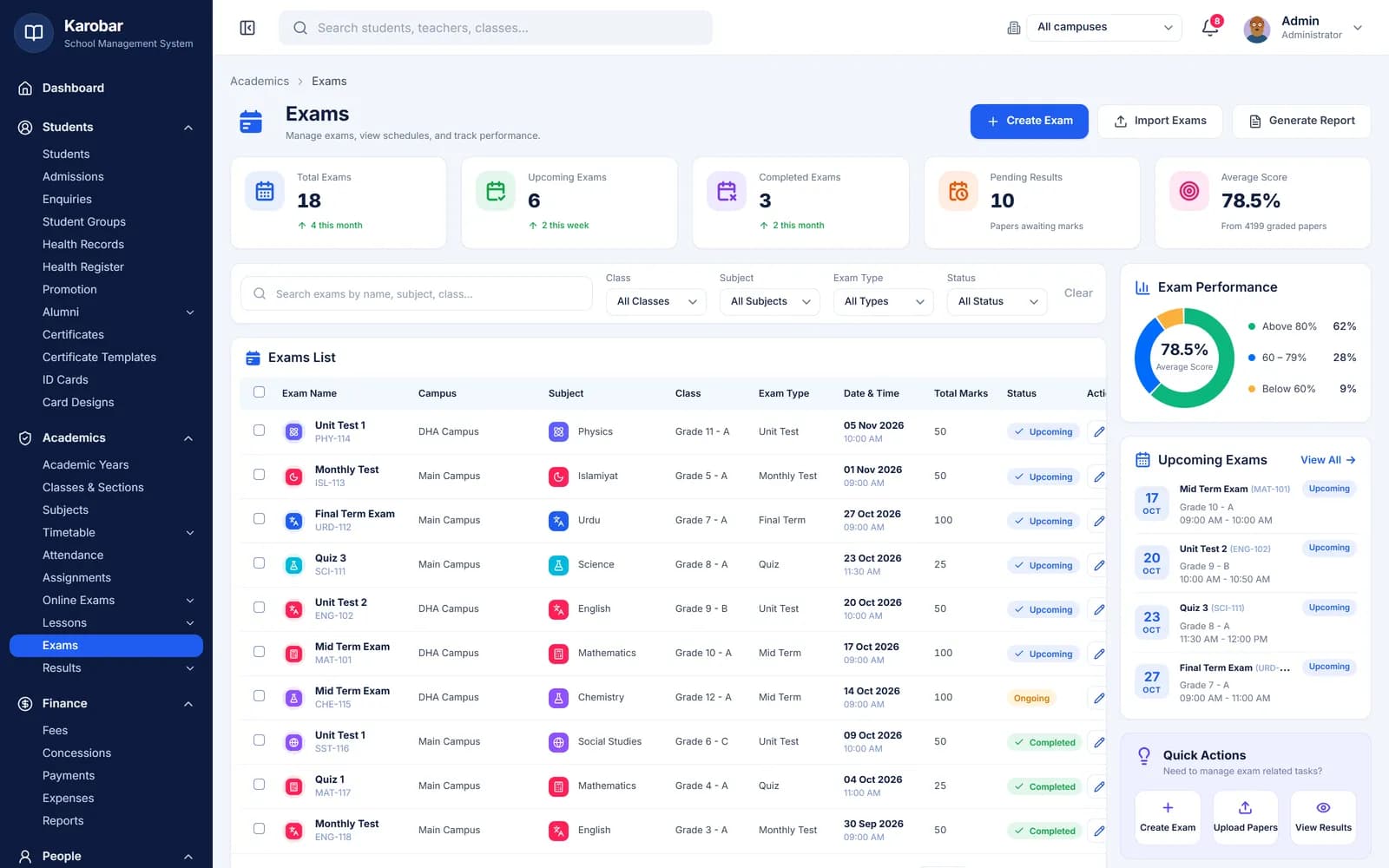
Unit tests, monthly tests and term exams sit on one schedule. Subject teachers enter marks from their own login, the grading scale is applied automatically, and parents get the result card when the school publishes it.
Try it: enter marks as a teacher, then print a result card from the school admin.
- Exams by class, subject and date
- Marks by subject teachers, or from Excel
- Result cards published when you say so
Any day
Parents check on their phone
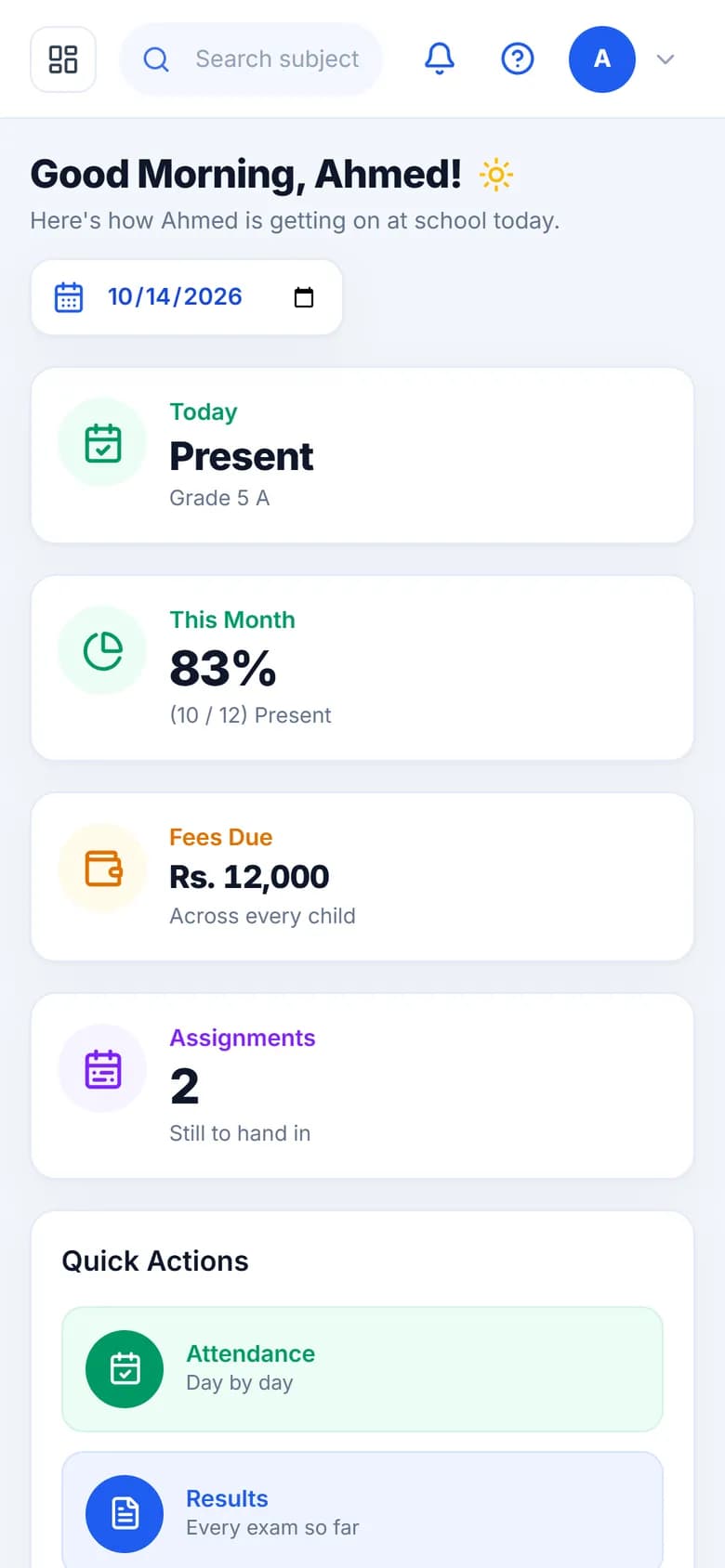
Parents open the portal in their phone's browser and see the day's attendance, fees due, homework and results — so the office gets fewer calls asking.
Try it: sign in to the portal as a parent.
- Attendance today and this month
- Fees billed, paid and still due
- Result cards they can view and print

End of the month
The owner sees the month on one screen
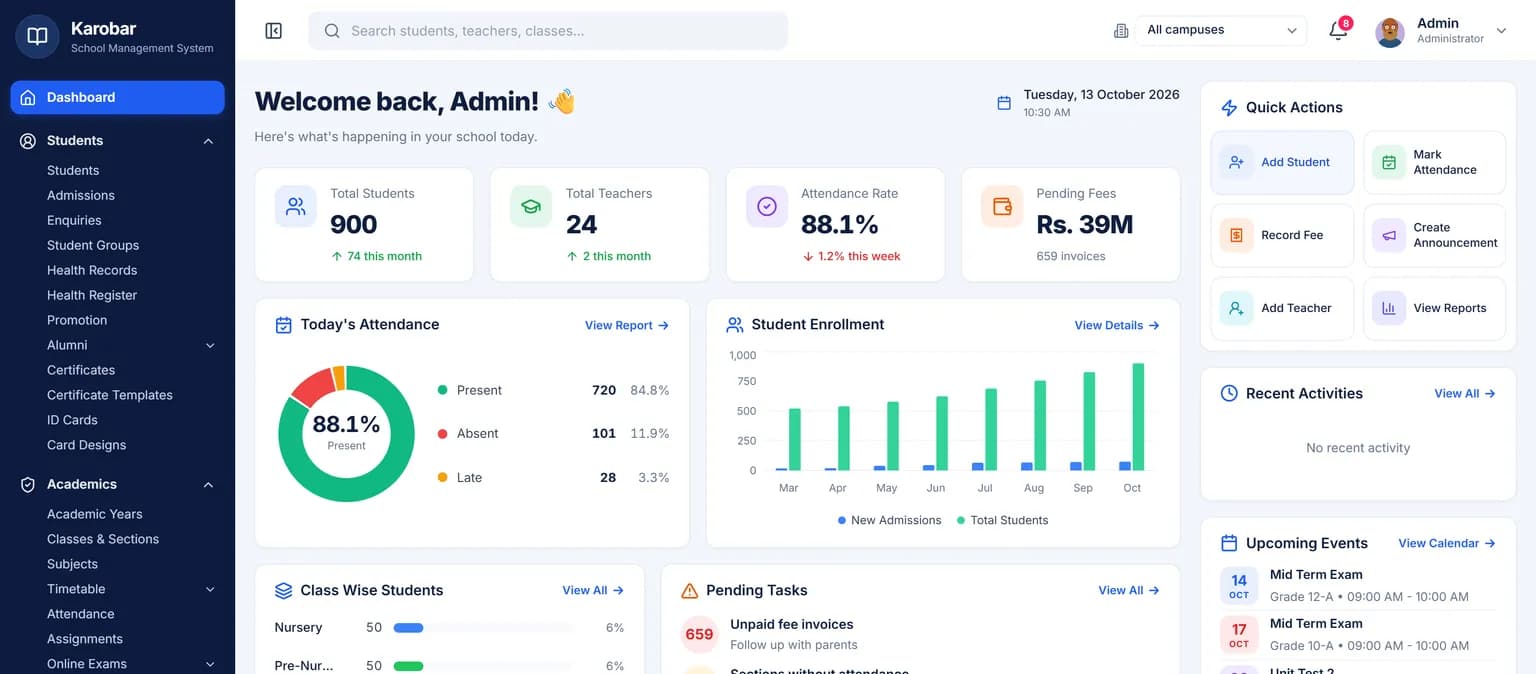
The dashboard brings the school together: students, today's attendance, pending fees and enrolment by month. Reports for attendance, fees, exams and enrolment export to CSV and PDF.
Try it: sign in to the school admin and open the dashboard and reports.
- Students, attendance and pending fees at a glance
- Enrolment by month
- Reports exportable to CSV and PDF
One system
It works with the rest of your school
Fees, attendance, exams, timetable, transport, hostel and the parent portal share one set of student records — nothing is typed twice.
Live demo
Try it on a working school
Sign in to a demo school with real-looking data. No sign-up needed.
School admin
The full school software
demoschool@karobar.com- Password
demo1234
- Add a student or a whole class
- Mark attendance and enter marks
- Collect a fee and print the receipt
- Print a result card or ID card
Portal
Teachers, parents, students, office
- Teacher
TCH-001 - Parent
P-0001 - Student
ST-1024 - Office (accounts)
STF-001
Password for all: demo1234
A real demo school with 900 students. Change anything you like — the demo resets every night.
FAQ
Questions schools ask
Is this a real school?+
No. It is our demo school, filled with sample data so you can see every screen working. It is not a customer.
Can I change things in the demo?+
Yes — add students, mark attendance, collect fees, enter marks. The demo resets every night, so you cannot break anything.
Do I need to sign up to try it?+
No. The logins are on this page; open the school admin or the portal and sign in.
Will our school look like this?+
Your school gets the same software set up with your own classes, fees, staff and school name. Send us your lists in Excel and we'll bring them in.
How much does it cost?+
From Rs 3,000 a month. See the pricing page for what each plan includes.
Let's set it up together
Seen enough? Let's set up your school
Tell us about your school — we'll send a price within one business day and set everything up for you.