School library management system
Library Management System for Schools
Every book the school owns, who has it, and when it is due back — with overdue reminders and fines worked out for you.
Part of Karobar school software · included in the Business plan · set up for you
Book catalogue
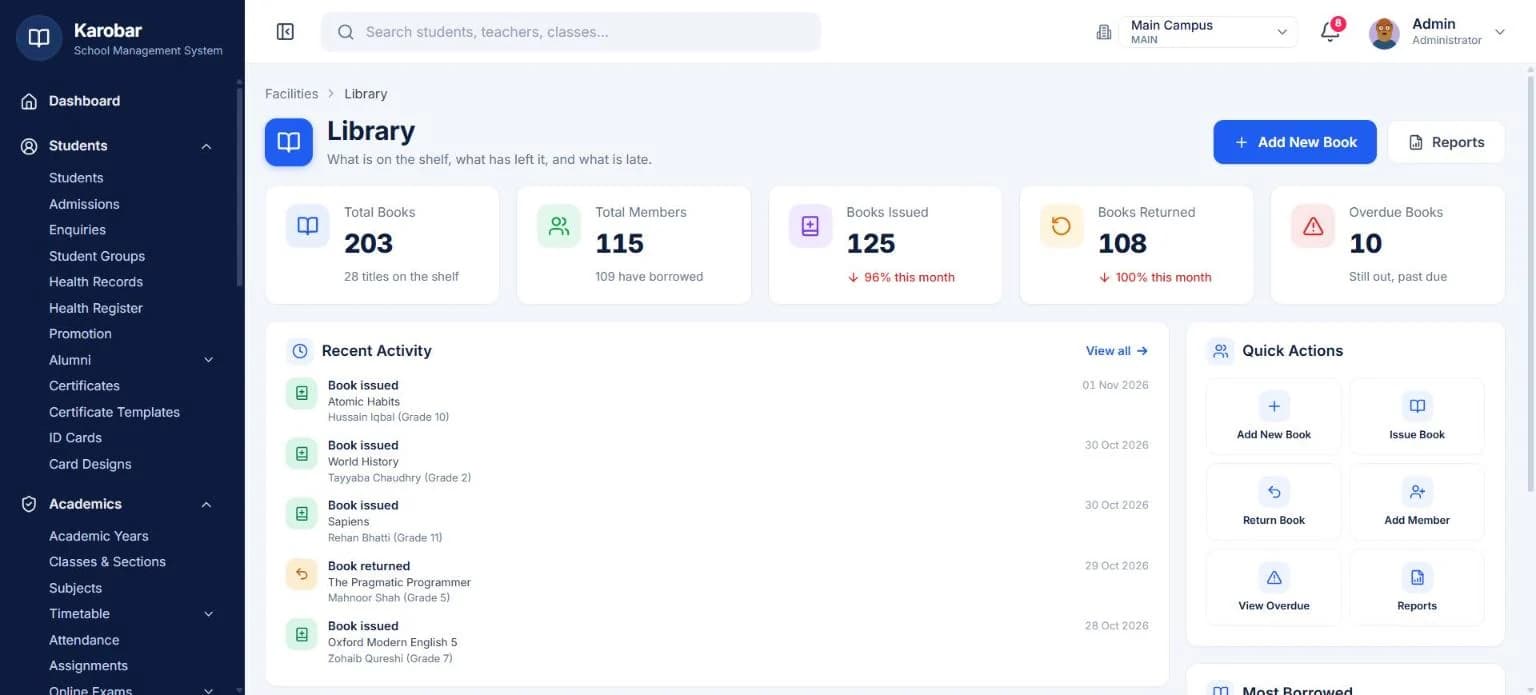
Know what is on the shelf
Add each title once with its author, ISBN and category, and the library always shows how many copies are on the shelf and how many are out.
- Search by title, author, ISBN or category
- Find a book by its code
- Copies on the shelf and copies out, per title
- Most borrowed books at a glance
Issue and return
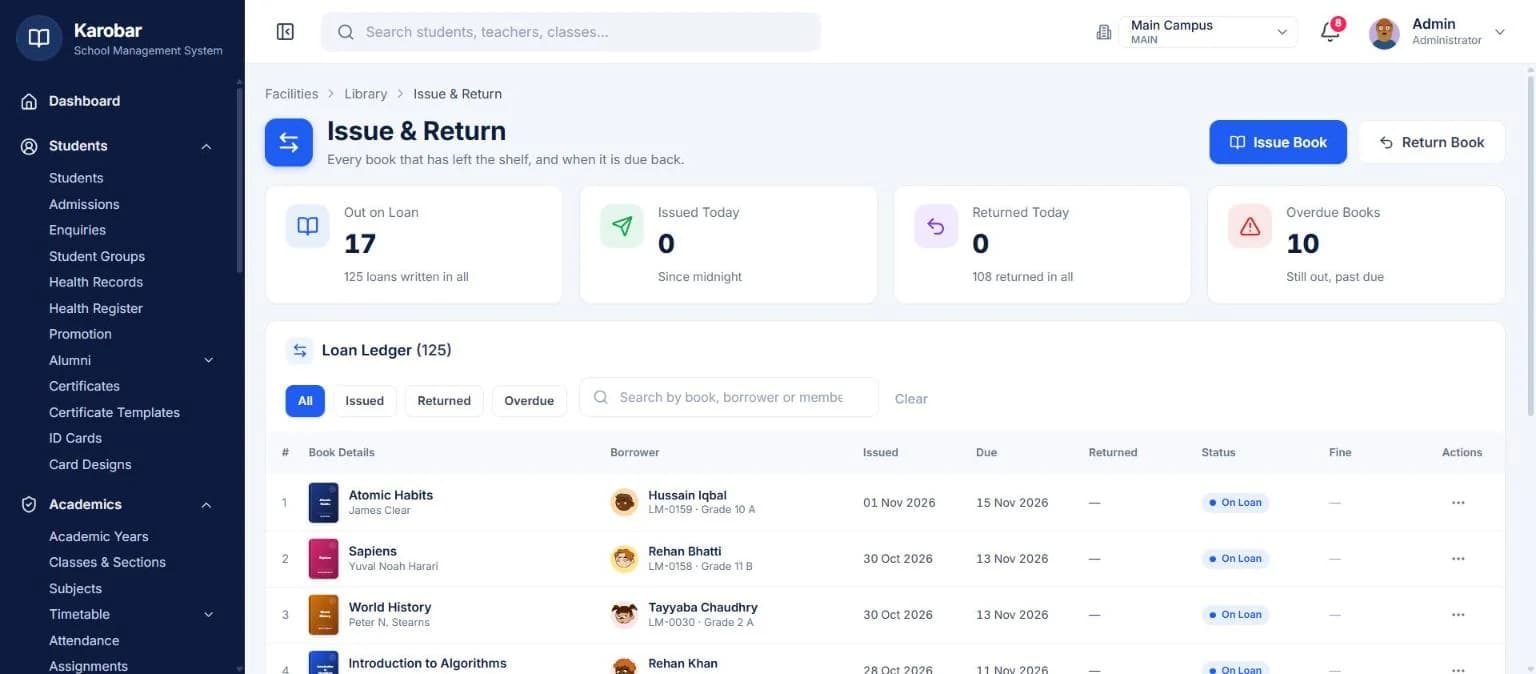
Issue a book in seconds, with a due date
Students, teachers and staff can all be library members. Issue a book to a member with a due date; when it comes back, mark it returned and the copy is on the shelf again.
- Members: students, teachers and staff
- Issue with a due date, return in one click
- What each member is holding, on their record
- Block or restore a membership
Overdue and fines
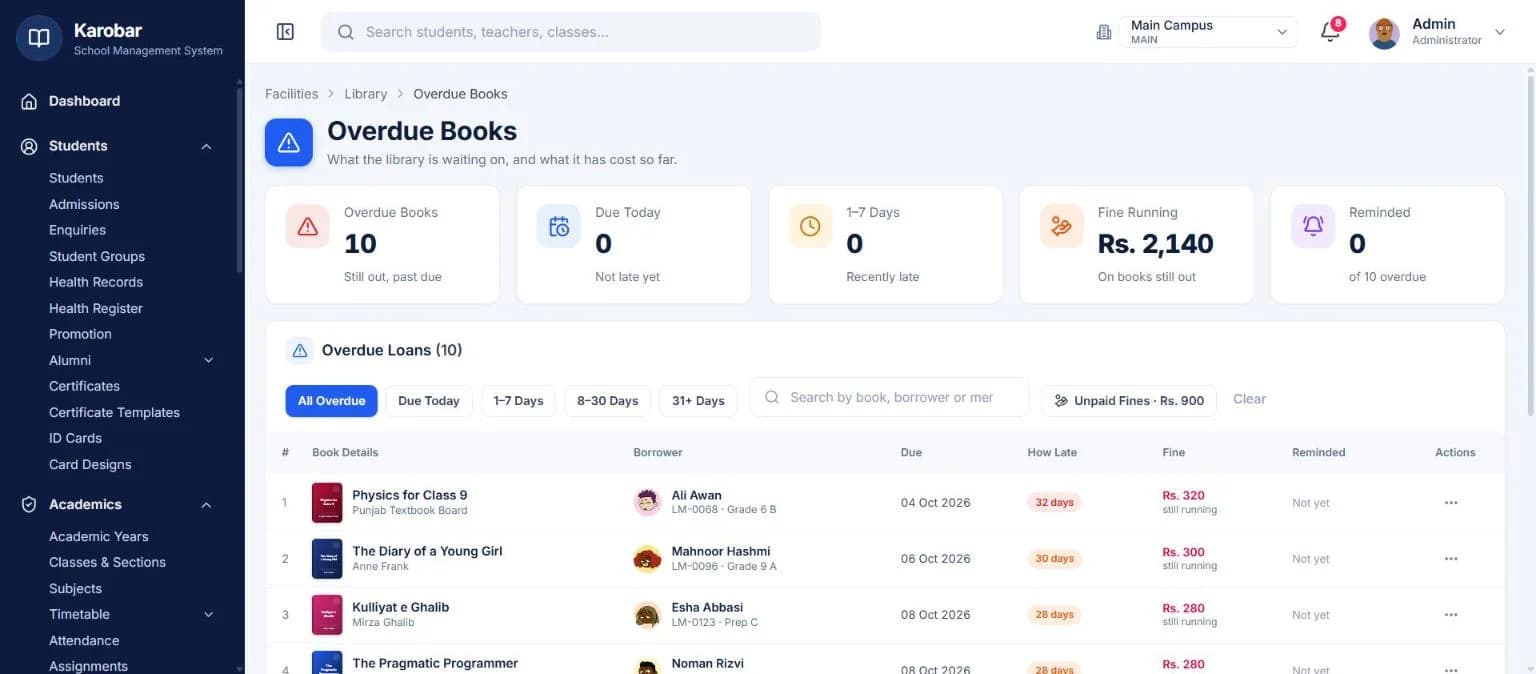
Late books and fines, worked out for you
The overdue list shows every book still out past its due date. Send the borrower a reminder, and collect the fine the system has calculated when the book comes back.
- Overdue books at a glance
- Reminders to borrowers
- Fines calculated, and the ones not yet collected listed
- Library reports you can generate and export
One system
It works with the rest of your school
Fees, attendance, exams, timetable, transport, hostel and the parent portal share one set of student records — nothing is typed twice.
Live demo
Try it on a working school
Sign in to a demo school with real-looking data. No sign-up needed.
School admin
The full school software
demoschool@karobar.com- Password
demo1234
- Add a student or a whole class
- Mark attendance and enter marks
- Collect a fee and print the receipt
- Print a result card or ID card
Portal
Teachers, parents, students, office
- Teacher
TCH-001 - Parent
P-0001 - Student
ST-1024 - Office (accounts)
STF-001
Password for all: demo1234
A real demo school with 900 students. Change anything you like — the demo resets every night.
FAQ
Questions schools ask
Which plan includes the library?+
The library module is part of the Business plan. Get a quote and we'll price it for your school.
Can teachers and staff borrow books too?+
Yes. Students, teachers and staff can all be library members.
Does it calculate late fines?+
Yes. Fines on overdue books are calculated for you, and fines not yet collected stay listed until they are.
We have a list of our books in Excel. Can you bring it in?+
Send us your lists in Excel and we'll bring them in as part of setting you up.
Let's set it up together
Retire the library register
Books, members, due dates and fines in one place — part of the Business plan, set up for you.