Multi-campus school management software
School Software for Schools With More Than One Campus
Every campus keeps its own students, staff, fees and registers. The owner sees all of them together — in one account, with one set of records.
Professional covers up to 3 campuses · Business for as many as you need · set up for you
One account, many campuses
Each campus runs its own day
Add each campus as a branch of your school. Its students, staff, classes, fees, attendance, exams, transport, library, hostel, notices and expenses stay with that campus, so one campus's office never sees another's records by mistake.
- Every module keeps each campus's records separate
- Staff see their own campus only
- Subjects, academic years and templates shared school-wide
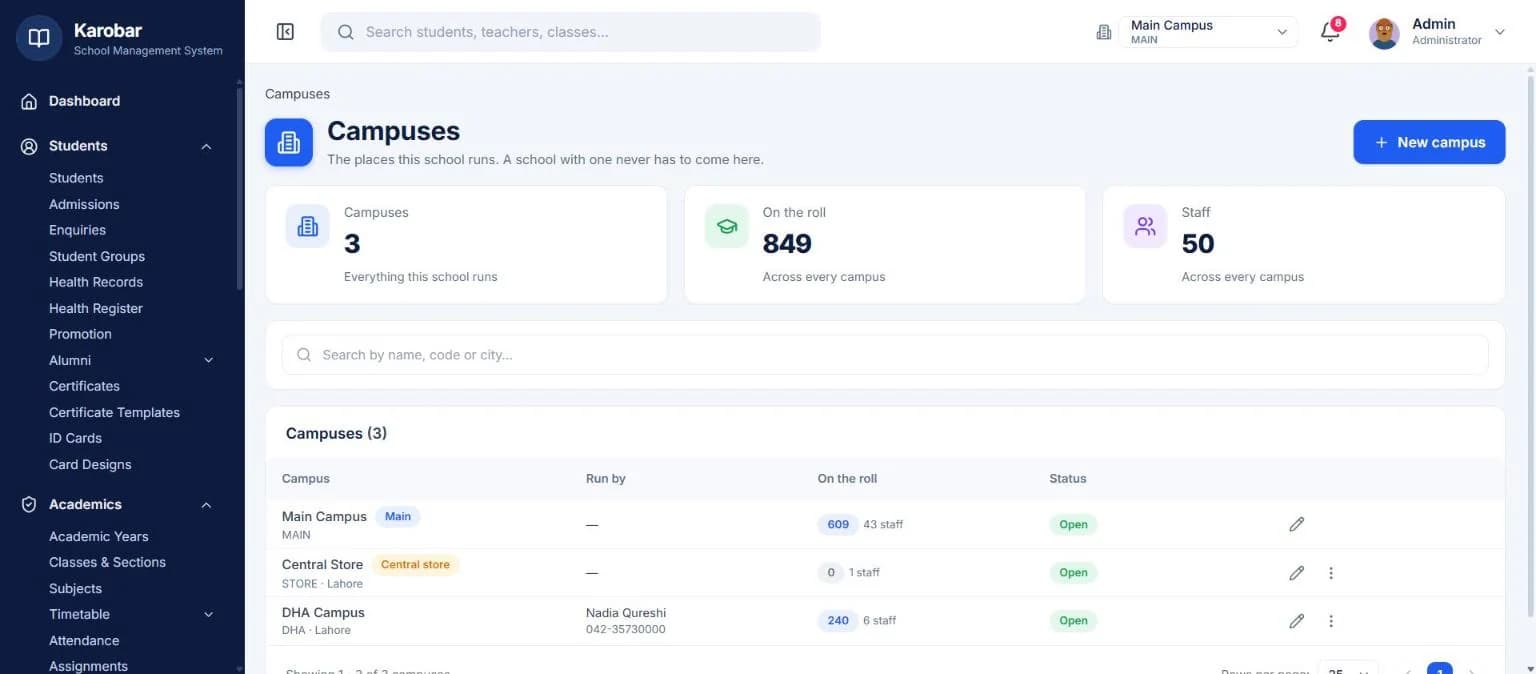
The owner's view
See every campus, or just one
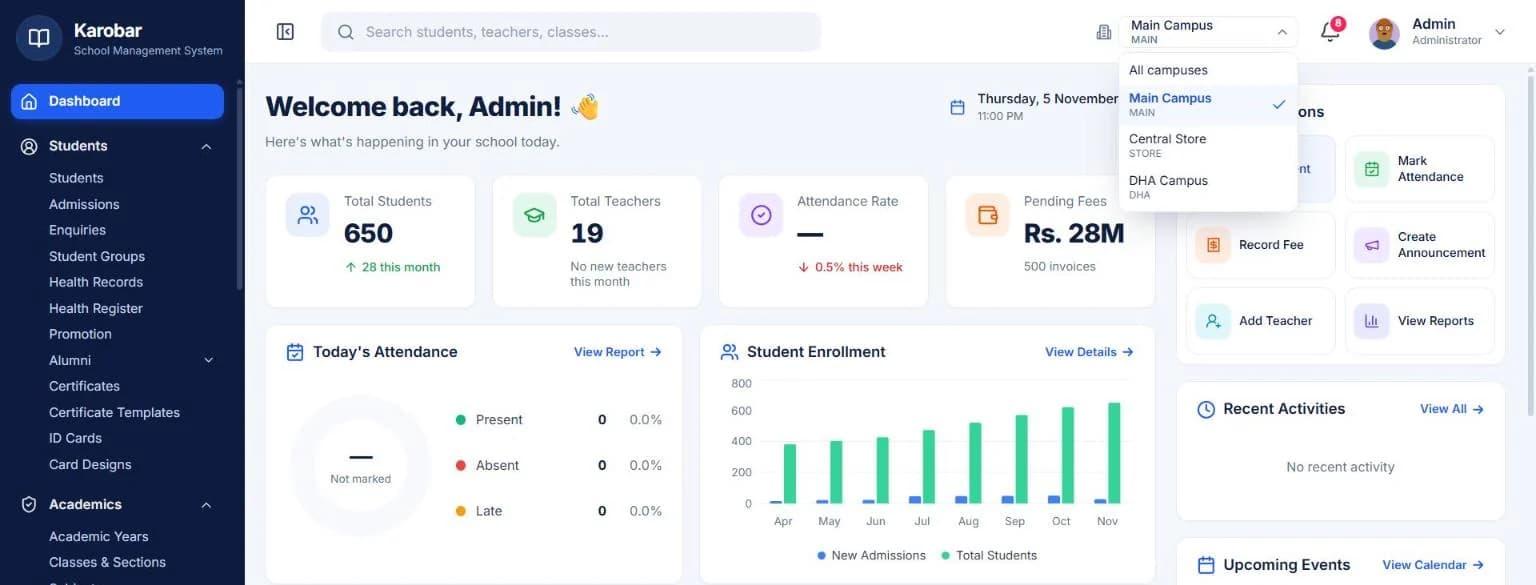
The owner and head office see every campus together, or pick one to look at on its own. A regional head or a bursar who looks after two campuses can be given exactly those two.
- Whole-school view for the owner
- One campus at a time when you need it
- A login can cover more than one campus
Students and families
Children move campus; their history stays right
When a student transfers to another campus, their attendance, results, fees and payments stay filed at the campus where they happened. Parents with children at different campuses see every child under one login.
- Student transfer between campuses
- Past attendance, results and fees stay with the campus they belong to
- Every child under one parent login, across campuses
- 1
Transfer the student
From one campus to another.
- 2
History stays put
Attendance, results and fees remain where they happened.
- 3
One parent login
Every child, every campus, on one phone.
One system
It works with the rest of your school
Fees, attendance, exams, timetable, transport, hostel and the parent portal share one set of student records — nothing is typed twice.
Live demo
Try it on a working school
Sign in to a demo school with real-looking data. No sign-up needed.
School admin
The full school software
demoschool@karobar.com- Password
demo1234
- Add a student or a whole class
- Mark attendance and enter marks
- Collect a fee and print the receipt
- Print a result card or ID card
Portal
Teachers, parents, students, office
- Teacher
TCH-001 - Parent
P-0001 - Student
ST-1024 - Office (accounts)
STF-001
Password for all: demo1234
A real demo school with 900 students. Change anything you like — the demo resets every night.
FAQ
Questions schools ask
How many campuses does each plan cover?+
Starter covers one campus, Professional up to three, and Business as many as you need.
Can a campus principal see other campuses?+
No. Staff work on their own campus. The owner, head office, or anyone you give several campuses to can see more.
Do we need a separate account for each campus?+
No. All campuses live under one school account, so the owner can see them together and subjects, academic years and templates are set once.
What happens when a student moves campus?+
Transfer the student and they join the new campus. Their past attendance, results, fees and payments stay filed at the campus where they happened.
Can we bring all our campuses' data in?+
Yes. Send us each campus's student, staff and fee lists in Excel and we'll bring them in as part of setting you up.
Let's set it up together
Bring every campus into one system
Tell us how many campuses and students you have — we'll send a price and set everything up for you.