Students
Complete student profiles — admission records, documents, photos, siblings and full academic history.
Live now · Run your whole school from one place
21 integrated modules — admissions to result cards, fee receipts to bus routes — in one system your whole staff can use.

Watch the demo
An Urdu walkthrough of the real app: dashboard, students, attendance, exams and result cards, fees and receipts, and the parent portal.
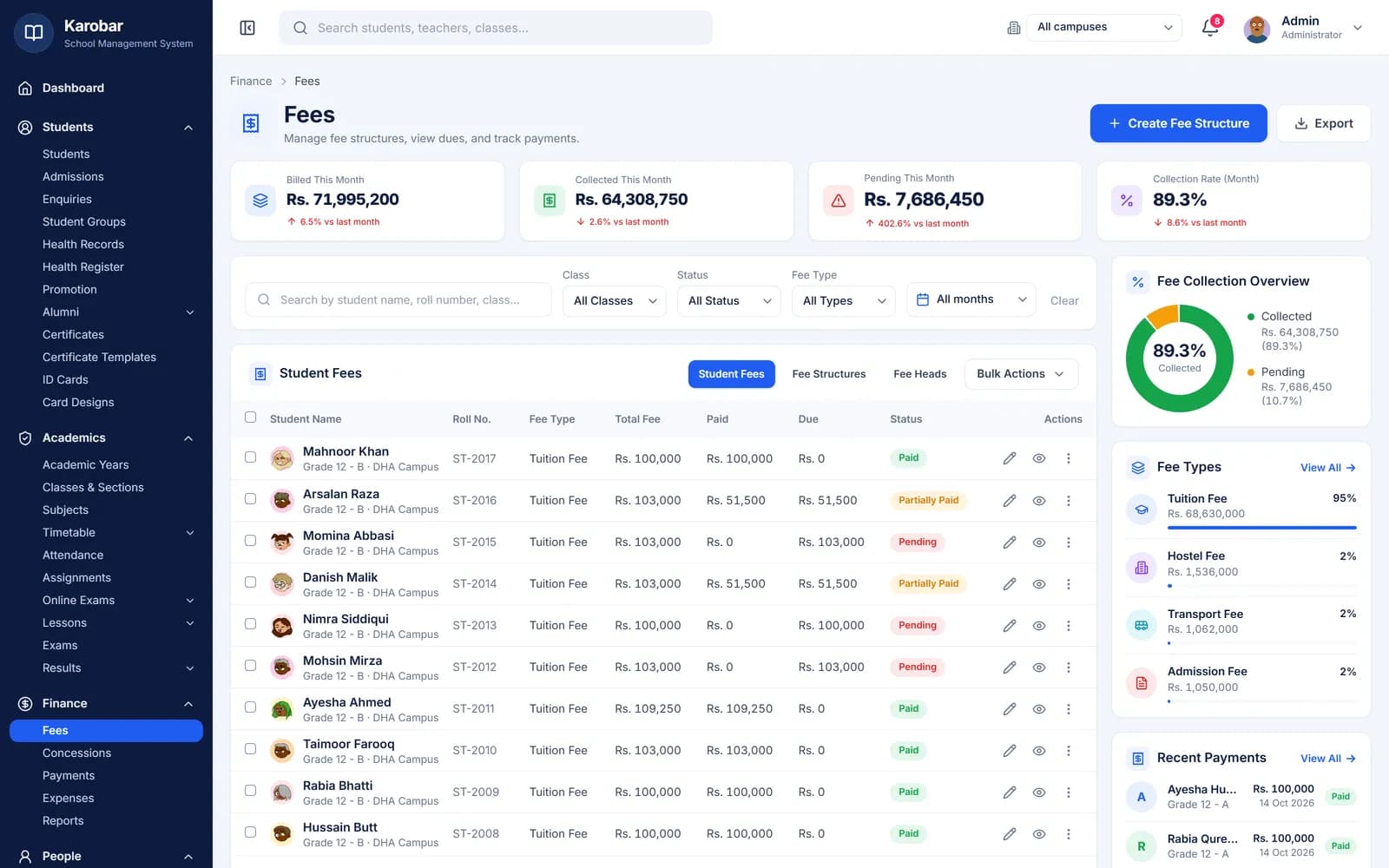
Fee management
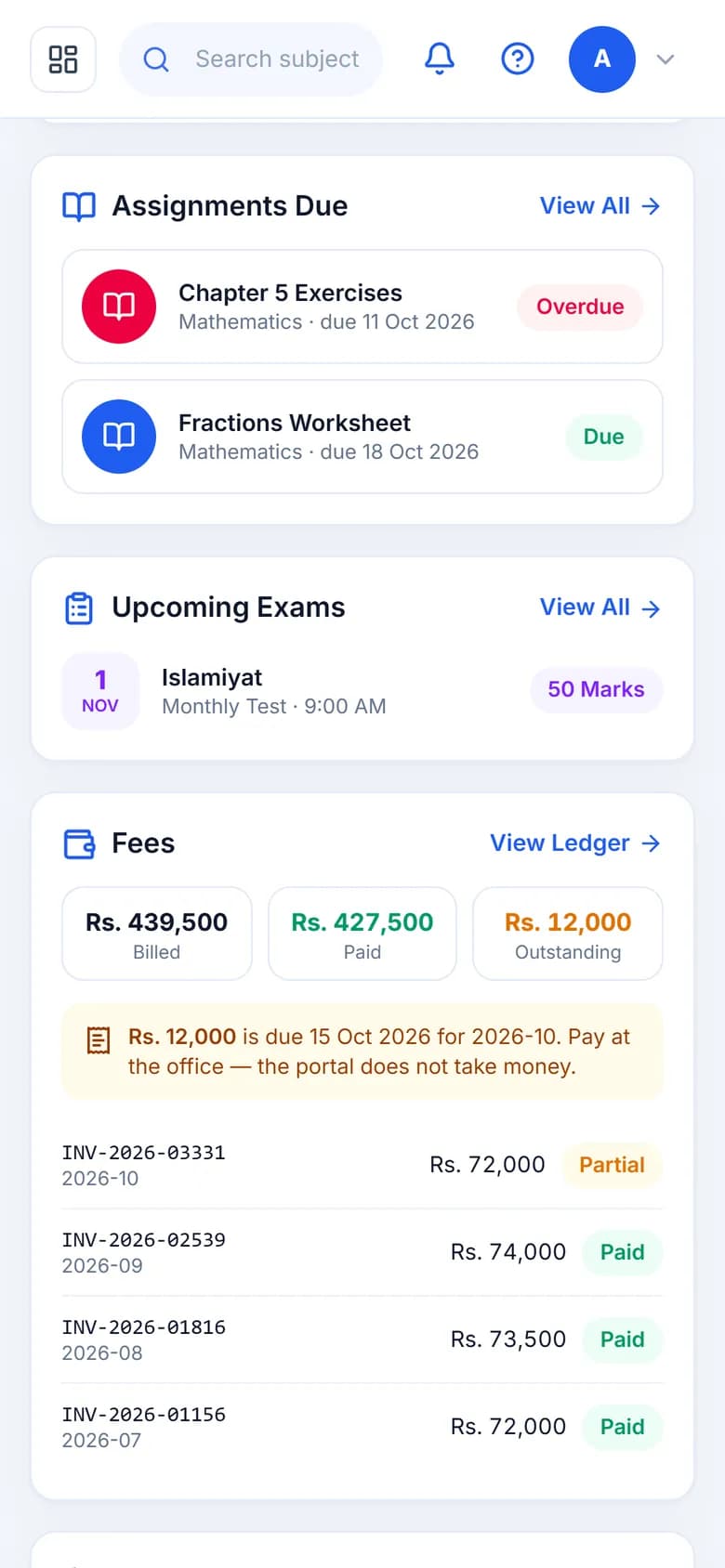
Set what each class pays once, as fee heads and structures, and every invoice follows it. When a parent pays at the office, the accountant records it and prints the receipt; the balance updates for the office and in the parent's portal at once.
Parents see their fee ledger online. Payments are taken at the school or bank, not through the portal.
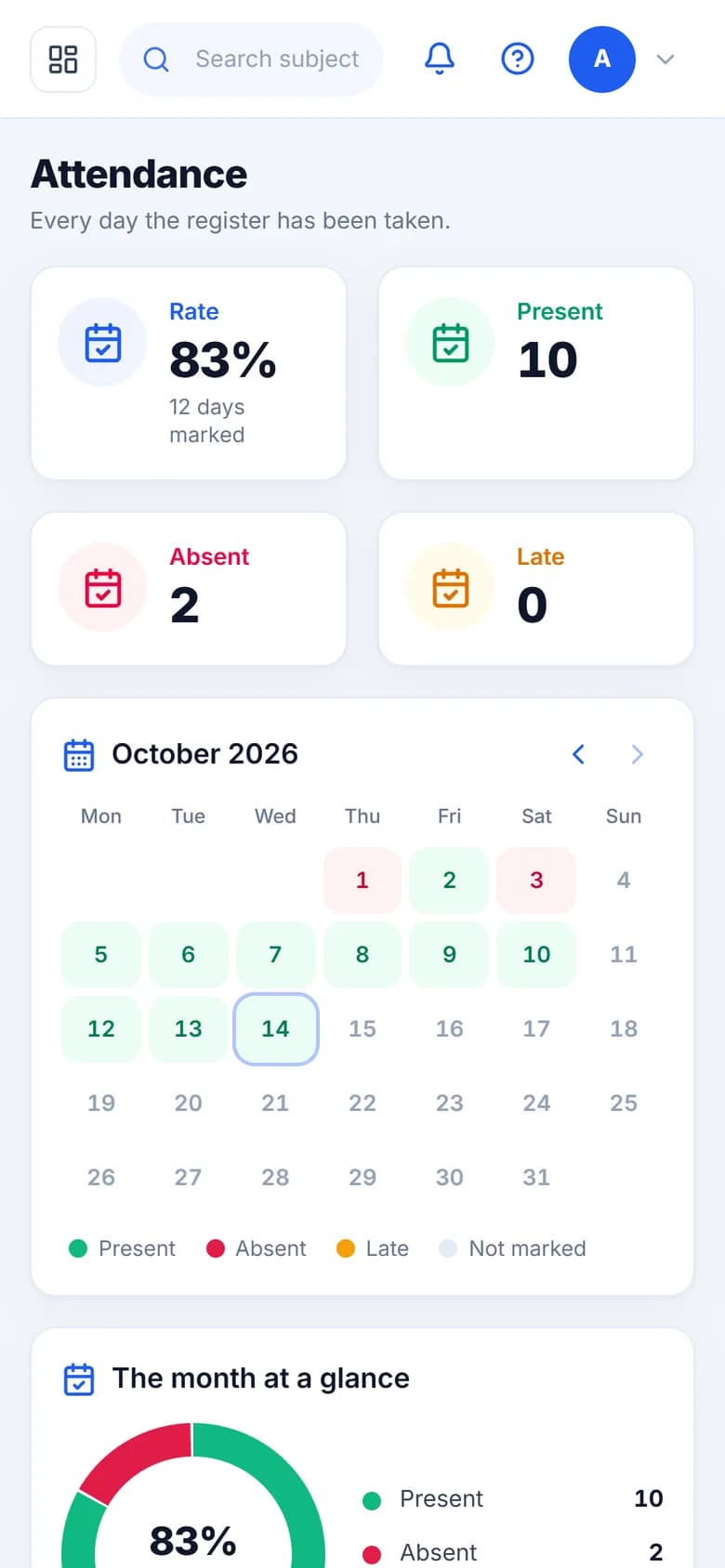
Attendance management
Teachers mark attendance from the teacher portal in a minute. The office sees the whole school's day — who is absent, which sections haven't been marked — without collecting a single paper register.

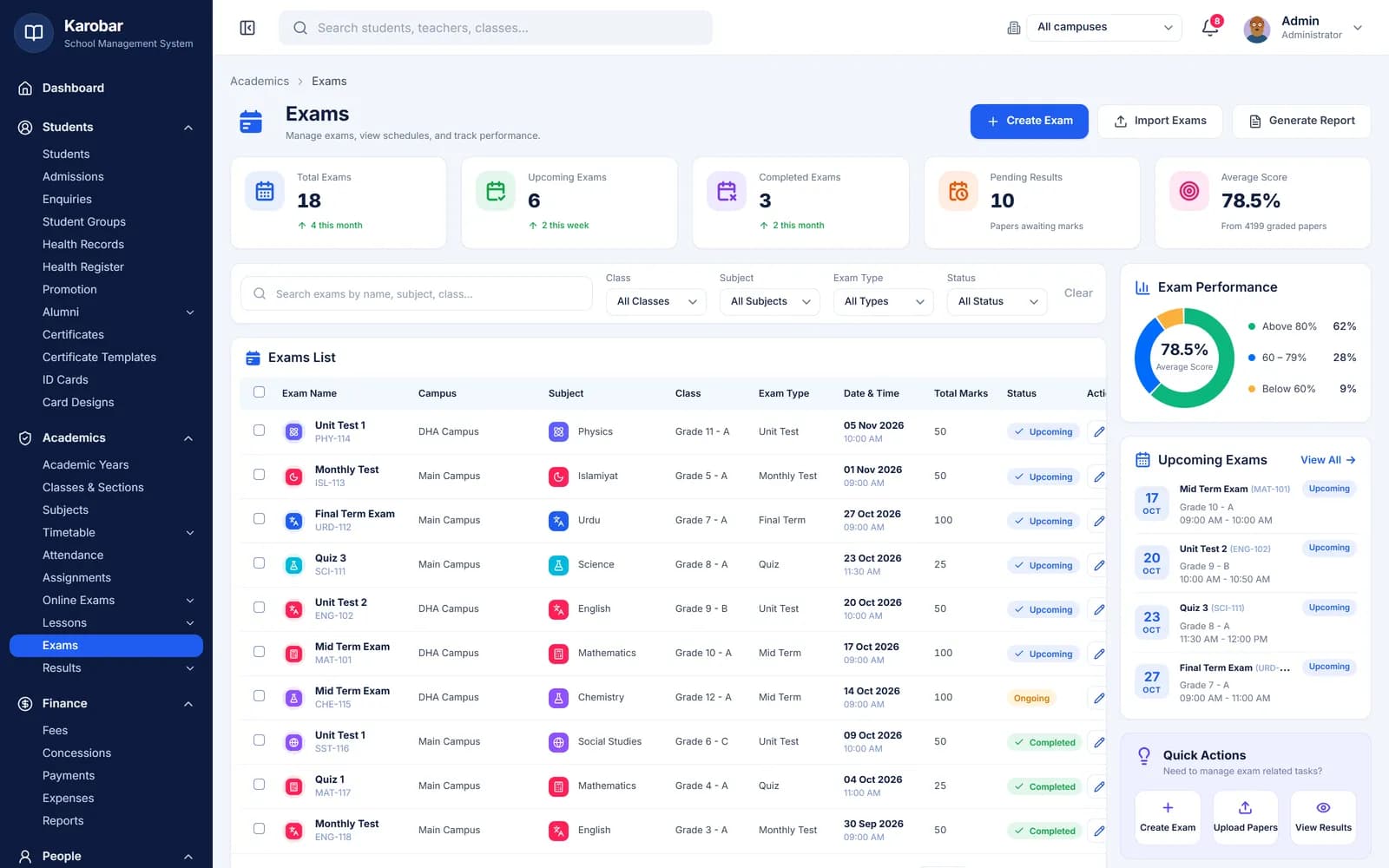
Exams and result cards
Set the exam schedule once and every class sees it. Subject teachers enter marks from their own login; once you publish, each parent gets the result card with marks, percentage and grade for every subject.
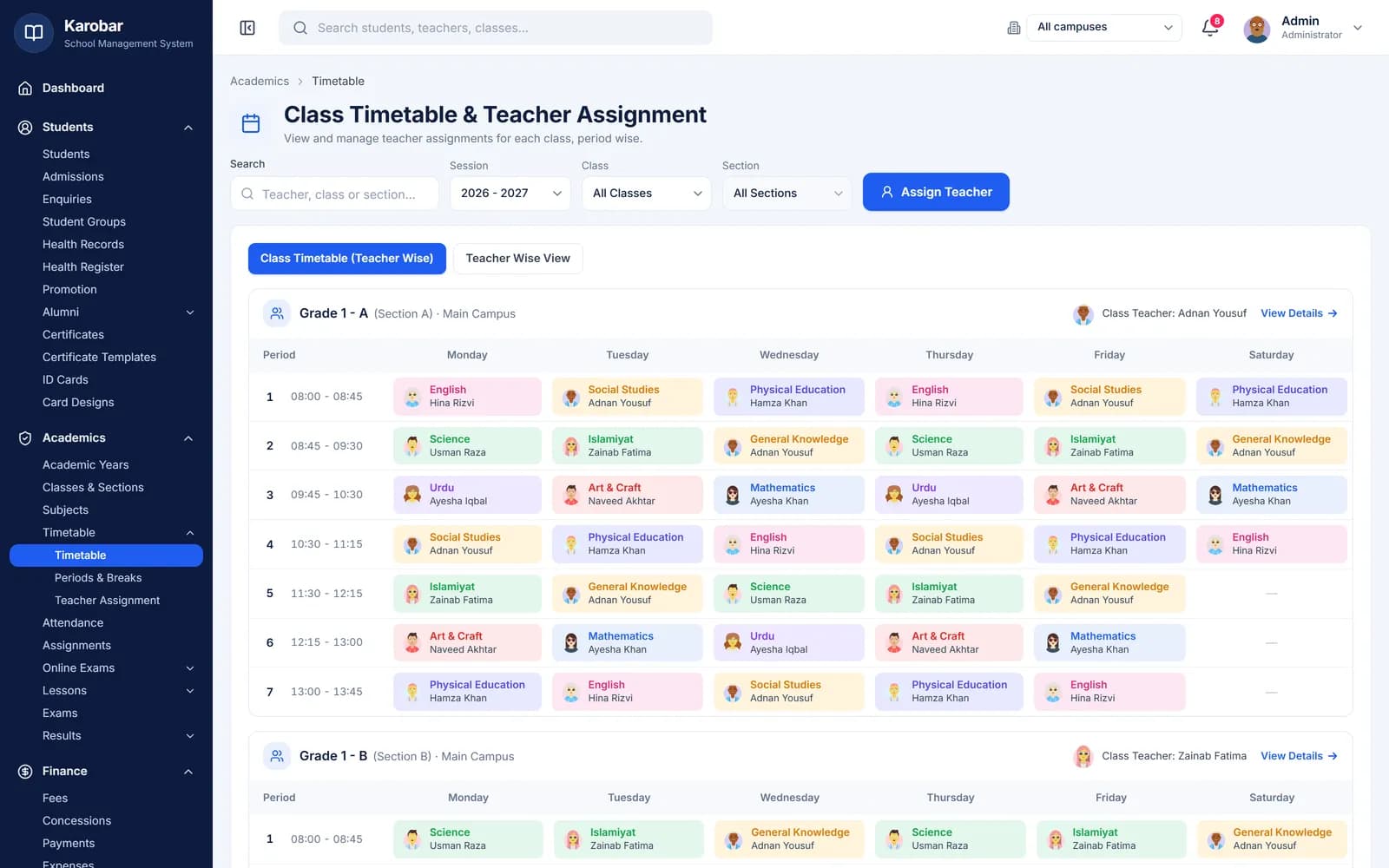
Timetable
Assign a subject and teacher to each period, and the same timetable appears for the class, the teacher and the parents — no more photocopies pinned to the staffroom wall.
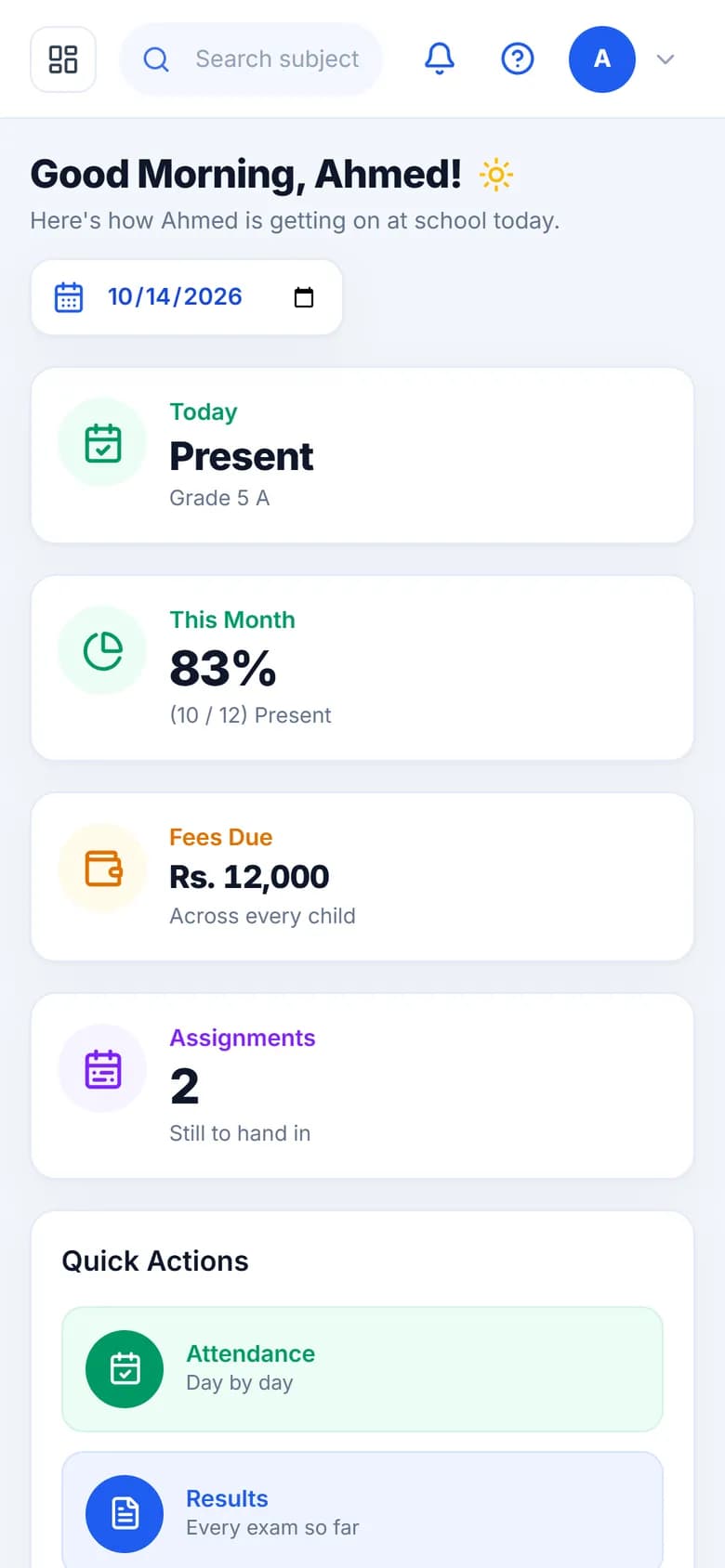
Parent portal
Parents sign in with the ID and password on the slip the school gives them. They stop calling the office to ask about fees or marks, because the answer is already on their phone.

Every module
Enter a student once and every module knows them — no copying between registers and spreadsheets.
Every student, guardian and staff member in one searchable place.
Complete student profiles — admission records, documents, photos, siblings and full academic history.
Link parents and guardians to one or more students, with contact details and portal access.
Teacher and staff records, roles and permissions, joining details and document storage.
Classes, subjects and schedules that stay in sync all year.
Define classes and grade levels with class teachers and capacity.
Split classes into sections with their own rosters and schedules.
Subject catalogue with teacher assignment per class and section.
Admissions, transfers, promotions and session-to-session enrollment in a guided flow.
Weekly period-by-period timetables per section with clash detection for teachers and rooms.
The everyday work — done in minutes, not hours.
Daily and period-wise student attendance, marked from the teacher portal, with monthly summaries.
School-wide or targeted circulars and announcements, published to the portal instantly.
Messages to guardians, staff and classes — in the portal, by email, or by SMS with your SMS provider.
From date sheets to result cards without a single spreadsheet.
Exam types, date sheets and marks entry per subject, by the subject teacher or from Excel.
Your own grading scale, published results and result cards parents can print.
Fees collected on time, expenses under control.
Fee heads and structures per class, concessions, late fines and due-date tracking.
Record cash and bank payments against invoices, with a printable receipt.
Track school expenses by category and see income vs. expense at a glance.
Beyond the classroom — library, buses and boarding.
Book catalogue, issue/return with due dates, and fine calculation.
Routes, stops, vehicles and driver assignment, with per-student transport fees.
Hostels, rooms and bed allocation with boarding fee integration.
Decisions backed by data, settings under your control.
Attendance, fee collection, exam performance and enrollment reports — exportable to CSV and PDF.
Academic sessions, branding, roles and permissions — configure once, run all year.
Portals
Teachers mark registers and enter marks, parents see fees and results, students see homework — each on their own phone.
The whole school: setup, fees, results, staff and reports.
Today's classes, registers, marks entry and homework.
Attendance, fees, results and notices for every child.
Timetable, homework, results and announcements.
Accounts, library or front desk — only what their job needs.
Live demo
900 students, fees, attendance and results — sign in as the admin or as a teacher, parent or student.
The full school software
demoschool@karobar.comdemo1234Teachers, parents, students, office
TCH-001P-0001ST-1024STF-001Password for all: demo1234
A real demo school with 900 students. Change anything you like — the demo resets every night.
Print-ready
Result cards, fee receipts, ID cards, certificates and reports — straight from your data.
Compare plans
All plans include attendance, timetable, exams, fees and reports. Bigger plans add more students, SMS, transport, library and hostel.
| Feature | Starterfrom Rs 3,000/mo | Professionalfrom Rs 7,000/mo | BusinessCustom price |
|---|---|---|---|
| Students | 200 | 500 | Custom |
| Campuses | 1 | 3 | Custom |
| Staff accounts | 20 | 100 | Custom |
| Attendance | Included | Included | Included |
| Timetable | Included | Included | Included |
| Exams & grades | Included | Included | Included |
| Fees & payments | Included | Included | Included |
| Reports | Included | Included | Included |
| SMS notifications / month | Not included | 500 | Custom |
| Transport | Not included | Included | Included |
| Library | Not included | Not included | Included |
| Hostel | Not included | Not included | Included |
| File storage | 1 GB | 5 GB | Custom |
FAQ
Yes. Send us your student, staff and fee lists in Excel and we'll bring them in as part of setting you up.
No. The portals open in any phone browser — teachers, parents and students sign in with the ID and password the school gives them.
Yes. Add each campus as a branch; staff see their own campus, and the owner sees every campus together. Starter covers one campus, Professional up to three, and Business as many as you need.
Result cards, fee receipts, student ID cards, certificates (from your own designs) and reports for every module, under your school's name. A pre-printed bank fee voucher (challan) is not built in yet.
Notices and messages reach parents in their portal. SMS delivery depends on your plan and an SMS provider account.
Let's set it up together
Tell us how many students and campuses you have — we'll send a price within one business day and move your data in for you.